
Generate and edit at the cursor
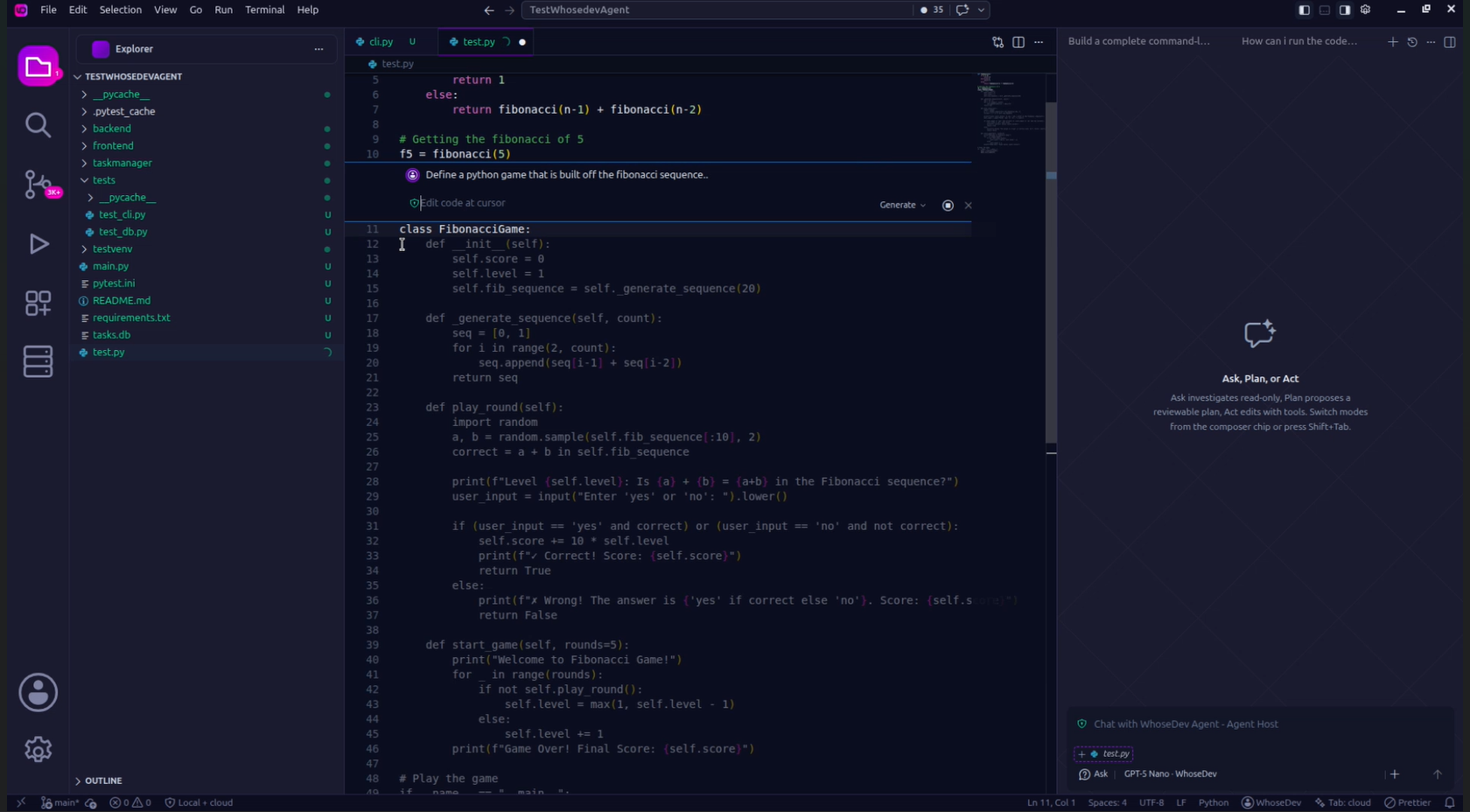
Use Ctrl+K on Windows/Linux or Cmd+K on macOS to open inline editing at the cursor or for a selected block of code.
Generate at the cursor
Section titled “Generate at the cursor”Place the cursor where you want new code, open inline editing, and describe the result:
Add validation that rejects empty task titles.Rewrite a selection
Section titled “Rewrite a selection”Select code before opening inline editing. WhoseDev defaults to an edit action and lets you refine the selected code without losing the surrounding file context.
Use the action picker to choose:
- Generate for code at the cursor.
- Edit to rewrite a selection.
- Explain or Quick Question to understand code without applying an edit.
- Send to Chat to continue a larger task in the chat panel.
Review the result
Section titled “Review the result”Read every suggested change before you keep it. If the result does not match your intent, undo it and make the request more specific, including constraints such as language version, error behavior, test coverage, or files that must not change.